
Table of Contents
- What is Voicemod?
- Voicemod Free Version: What You Get
- Voicemod Pro Version: What’s Unlocked
- Free vs Pro: Detailed Features
- Comparison Table of Free Vs Pro:
- Voice Lab – Pro’s Creative Power Tool
- Mobile App Integration
- Performance in Version V3 (Both Tiers)
- Real User Feedback
- Pros and Cons Summary
- Who Should Use Free?
- Who Should Use Pro?
- Pricing Information (as of 2025)
- How to Set Up & Use (Basics)?
- Tips & Best Practices
- Conclusion
Voicemod is a popular app that lets you change your voice in real time and trigger sound effects during gaming, chatting, or streaming. There are two versions: Free and Pro. The Free version is fine for getting started, but the Pro unlocks many extra features that serious users will love. This article explains everything you need to know about Voicemod Soundboard Pro vs Free, using simple everyday language and clear comparisons.
What is Voicemod?
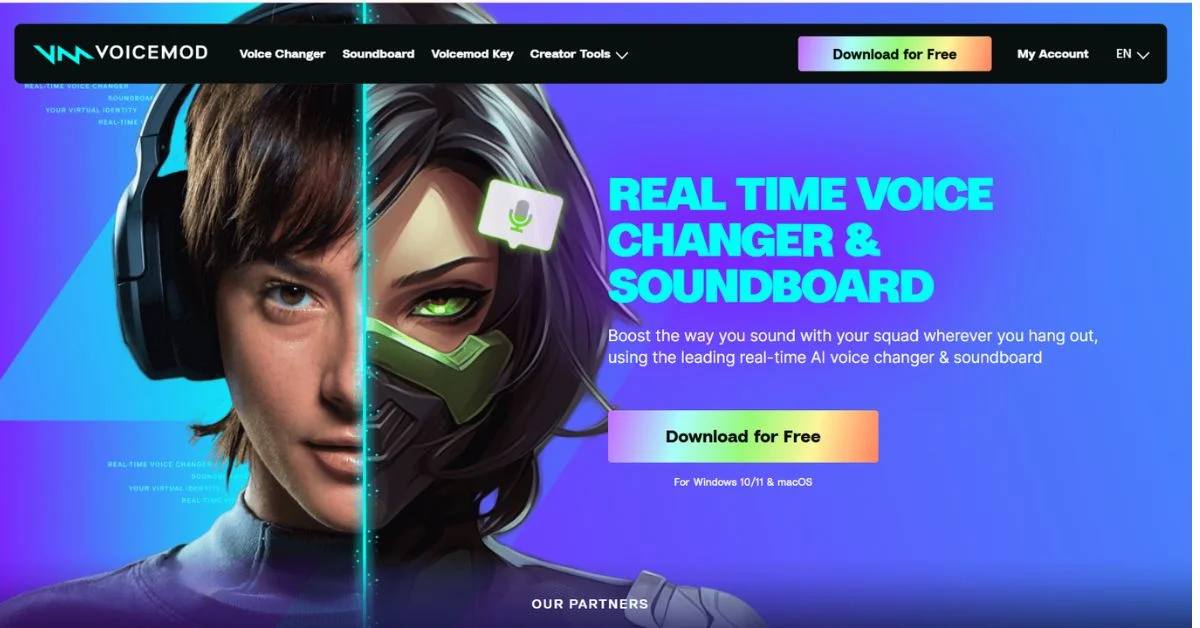
Voicemod is a real-time voice changer and soundboard software for Windows and macOS. It lets users modify their voice with preset effects or create custom sounds using its advanced tools. Its key features include:
- Voice Changer: Choose from dozens of voice effects to sound like a robot, alien, man, woman, or even a musical instrument.
- Soundboard: Play audio clips (like memes, music, or sound effects) during a live session with the press of a button.
- Voice Lab (Pro only): Create and fine-tune custom voice effects by combining filters and sound layers.
The app integrates smoothly with platforms such as:
- Discord
- OBS Studio
- Twitch
- Zoom
- Skype
- TeamSpeak
- Fortnite, CS: GO, Minecraft, and more
Voicemod Free Version: What You Get
The free version of Voicemod gives you a taste of the core experience. It is best suited for beginners, casual gamers, or anyone curious about voice effects without spending money.
Key Features in Voicemod Free
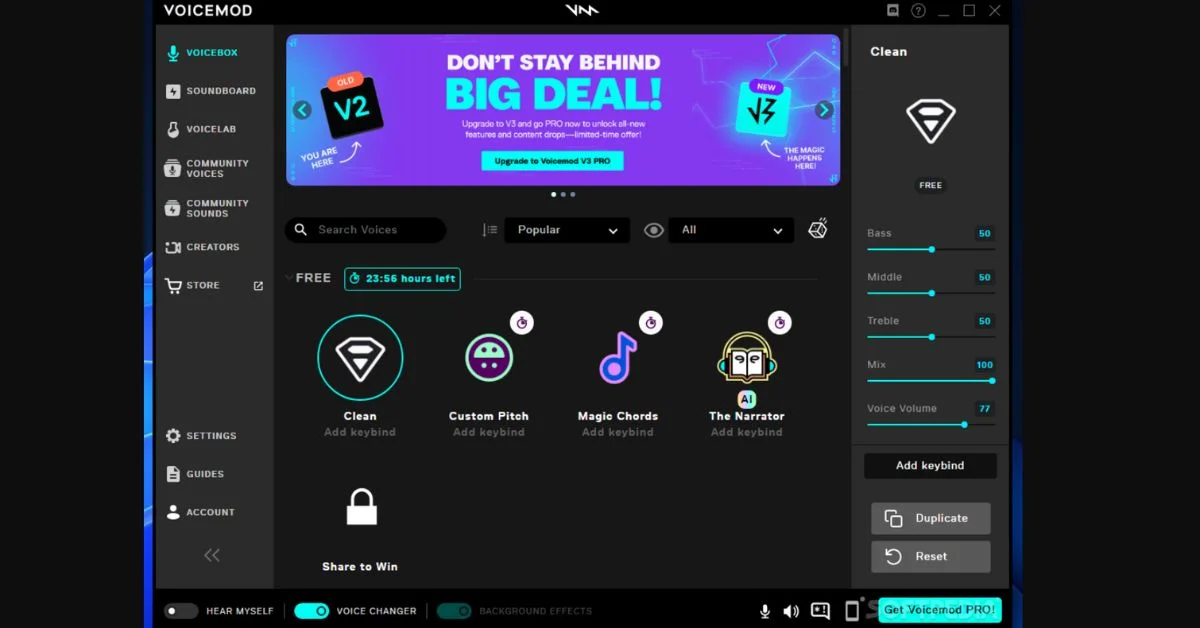
- 10 Daily Voice Filters: The free version unlocks 10 voice filters from a rotating list each day. These changes are automatic and cannot be user-selectable.
- Basic Soundboard: Free users get access to one soundboard panel with 5 upload slots.
- Sample Voice Effects: Popular effects like “Cave,” “Robot,” and “Baby” may appear, but you can’t save them.
- No Custom Voices: You cannot create or save custom voice presets in the free version.
- Limited Uploads: Only 5 personal sound clips can be added to the soundboard.
- Basic Mobile Support: The mobile app connects but only offers limited control and no custom layout support.
Voicemod Pro Version: What’s Unlocked
The Pro version is designed for streamers, content creators, and power users. It unlocks every advanced feature, including creative tools and full customization.
Key Features in Voicemod Pro
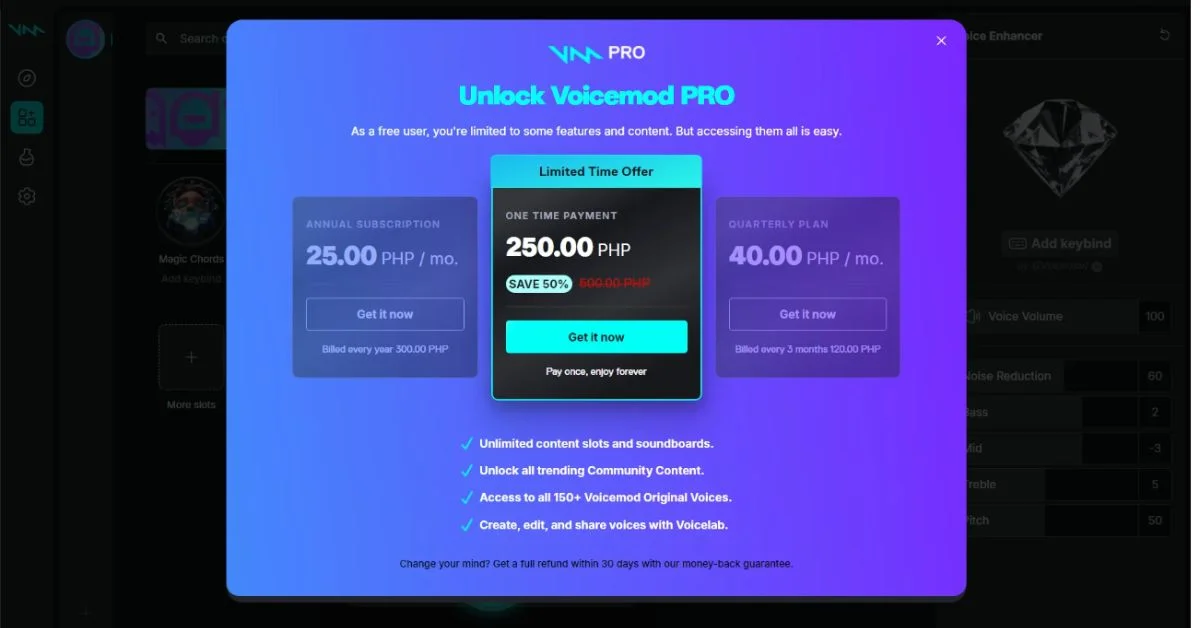
- Full Voice Library Access: Instantly access over 200+ voice effects with no rotation limits.
- Unlimited Soundboards: Create multiple soundboards, each with an unlimited number of sound slots.
- Voice Lab: Design unique voice presets using sliders and filters like pitch, reverb, delay, and tremolo.
- Exclusive Voice Packs: Access themed packs like Halloween, sci-fi, celebrities, and more.
- Custom Sound Uploads: Add as many personal clips as you want, no slot limit.
- Mobile App Integration: Control your soundboard from a phone or tablet with full grid customization.
- Pro Community Tools: Share your custom voices with the Voicemod community and download others’ creations.
Free vs Pro: Detailed Features
1. Voice Effects
- Free: Access a small selection of voice filters (about 10) that rotate daily. Once a day, you see fresh voices.
- Pro: Unlocks the entire voice library (well over 200 voices), all the time, with full access to premium and theme packs
2. Soundboard Slots
- Free: Limited to one soundboard and up to 5 custom sound slots, you can only upload five sounds to trigger from your collection
- Pro: Unlimited soundboards and unlimited custom sound slots. You can upload any number of .mp3, .wav, .flac, or .ogg files and organize them however you like
Voicemod
3. Voice Lab
- Free: Access to Voice Lab is locked, no ability to create or edit custom voices
- Pro: Full Voice Lab access. Mix filters like reverb, delay, and robotifier to design a unique voice. Save it and use it anywhere in Voicemod or share with the community.
4. Exclusive/Premium Content
- Free: Some themed collections appear, but most premium content is locked
Voicemod Help Center - Pro: All exclusive themed voice packs and premium soundboard collections are unlocked out of the box.
5. Mobile Remote Control & App Sync
- Free: The mobile soundboard app works in basic mode, but Pro features like custom grid and landscape support are limited.
- Pro: Use a mobile app on iOS or Android to trigger sounds and switch voices from your phone or tablet. It syncs to your Pro content and works with customized grids or iPad layouts.
6. Performance & Speed
- Free & Pro: Both versions benefit from the new V3 update: faster startup, lower latency, fewer glitches, smaller file sizes, and better voice switching speed
Comparison Table of Free Vs Pro:
| Feature | Voicemod Free | Voicemod Pro |
|---|---|---|
| Daily Voices | 10 rotating daily | Full library, all unlocked |
| Custom Voices (Voice Lab) | Not available | Full access with advanced tools |
| Soundboard Slots | 1 board, 5 sounds | Unlimited boards and uploads |
| Upload Limit | 5 audio files | Unlimited |
| Mobile App Support | Basic controls | Full control + layout customization |
| Premium Packs | Not available | All unlocked |
| Advanced Filters | No | Yes (distortion, chorus, delay, etc.) |
| Use in Discord/OBS/Zoom | Yes | Yes |
| Background Effect Blending | No | Yes, with fine-tuning |
| Price | Free | Subscription or one-time license |
Voice Lab – Pro’s Creative Power Tool
Voice Lab is one of the biggest reasons to upgrade to Voicemod Pro. It lets you build your voice from scratch. You can:
- Combine multiple effects (e.g., delay + robot + radio static)
- Adjust pitch, tone, speed, and clarity
- Layer ambient sounds for a more cinematic voice
- Save and use your voices across sessions
- Export and share with others, or use community voices
- For streamers and roleplayers, this tool is a game-changer.
Mobile App Integration
The Voicemod Controller app turns your smartphone into a soundboard remote. With Pro, the app becomes more powerful:
- Create custom control grids
- Assign voices and sounds to buttons
- Use iPad in landscape mode with full panel view
- Seamless syncing with desktop Voicemod
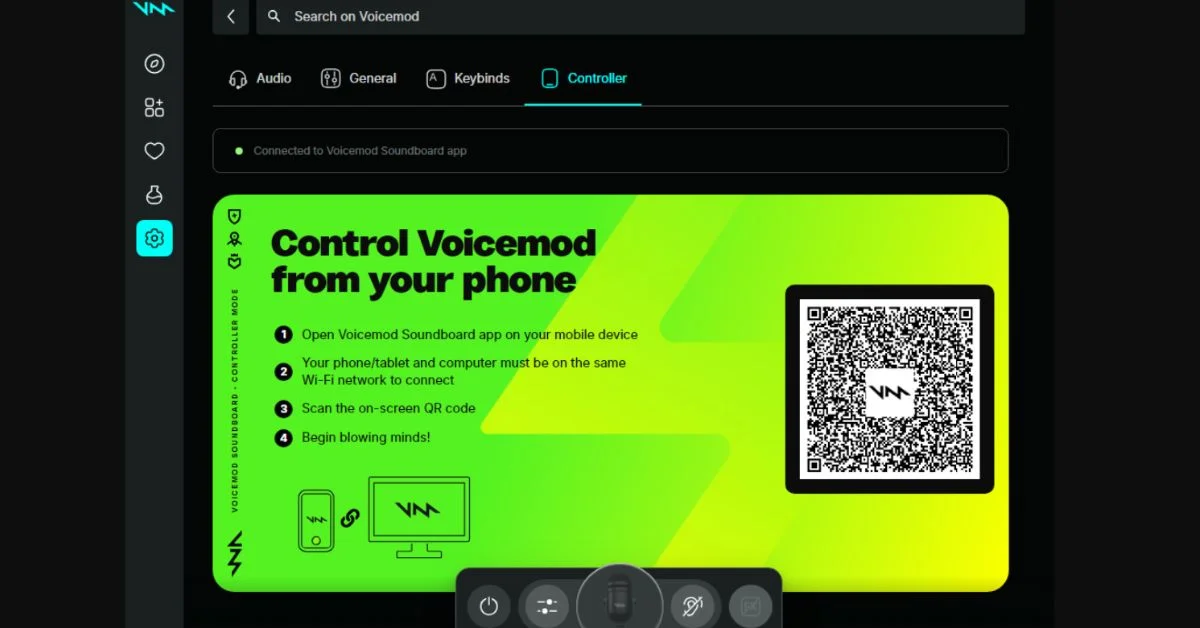
This is perfect for live streaming, where keyboard shortcuts aren’t always practical.
Performance in Version V3 (Both Tiers)
Both Free and Pro benefit from the recent Voicemod V3 Update, which includes:
- Faster startup time
- Lower audio latency
- Smoother transitions between voices
- Improved compatibility with Discord and OBS
- Smaller app size with modular features
However, Pro users get smoother performance when handling many sounds and effects simultaneously, due to unlocked hardware-boosted settings.
Real User Feedback
What Reddit Users Say
“Free users only get access to 10 voice effects that rotate daily and are limited to 5 custom sound slots on the soundboard.”
— Reddit User
“The Pro version gives you way more flexibility with tons of voices, full access to the Voice Lab, and unlimited uploads to the soundboard.”
— Reddit User
“If the free content isn’t very good and the only option is a paid subscription, I don’t think it’s worth it, to be honest.”
— Reddit User
“Background noise suppression features like Discord’s noise filters can interfere with certain Voicemod effects, so you may need to adjust your settings manually for the best experience.”
— Reddit User
Pros and Cons Summary
1. Voicemod Free Pros
- Great for beginners
- 100% free to use
- Works with major platforms
- Easy to install and explore
2. Voicemod Free Cons
- Rotating voices only
- No custom creation
- Limited sound uploads
- No access to themed content
3. Voicemod Pro Pros
- Unlimited creative freedom
- Access to the full voice library
- Upload unlimited sounds
- Advanced custom voice editor
- Premium app control from mobile
- Excellent for content creators
4. Voicemod Pro Cons
- Paid subscription or license
- It may be overkill for casual users
Who Should Use Free?
The Free version is ideal if:
- You’re just testing voice changers
- You want a few laughs in Discord or gaming sessions
- You’re not planning to create custom voices or do regular streaming
- You don’t need more than a few sound effects
Who Should Use Pro?
Voicemod Pro is best if:
- You’re a streamer, gamer, or podcaster
- You use Discord, OBS, or Twitch regularly
- You want total creative control
- You plan to use it for roleplay or voice acting
You need mobile support or full access to community content
Pricing Information (as of 2025)
Voicemod Pro offers several pricing tiers:
- Monthly Subscription: ~$12/month
- Annual Plan: ~$36/year
- Lifetime License: ~$60 one-time payment
Prices may vary slightly by region. Keep an eye on promotions and discounts offered through the official website: voicemod.net
How to Set Up & Use (Basics)?
To get started with either Free or Pro:
- Download Voicemod for Windows or Mac from the official website.
- Install and select “Voicemod Virtual Audio Device” as your mic input in Voicemod settings, and your chat/apps.
- For Free, wait for the daily voice rotation or pick available sounds.
- For Pro, unlock your content after payment and explore Voice Lab, mobile sync, and unlimited boards.
- Use keybinds to trigger voices and sounds easily during live sessions. Customize them from the interface.
Tips & Best Practices
- Disable noise suppression (e.g., Discord’s Krisp) if voice effects sound muted. Some filters include ambient sounds that may be cut by noise reduction tools
- For quality audio, use a decent mic with no background echo. Speak clearly and don’t breathe directly into the mic.
- Explore the Voicemod community for trending voice packs and meme soundboards. Pro users can share their creations too.
- Test new voices before using them in live calls or streams. Adjust sliders in Voice Lab for the best effect.
- Sync your account across devices so your boards and voices follow you. Mobile control makes live streaming easier.
Conclusion
Voicemod Free gives you a taste of voice changing and soundboard fun with limited access, and that’s fine for casual users. But Voicemod Pro is what serious gamers, streamers, and creators need: it gives you full content, unlimited boards, creative freedom in Voice Lab, and remote mobile control with syncing.
Related Topic: Why Does Voicemod Not Connect to Other Apps Randomly?