Table of Contents
- What Is the Threat About?
- Who Is At Risk?
- How Does the Attack Work?
- FBI’s Official Advice
- What Google Is Doing?
- How to Stay Safe Online?
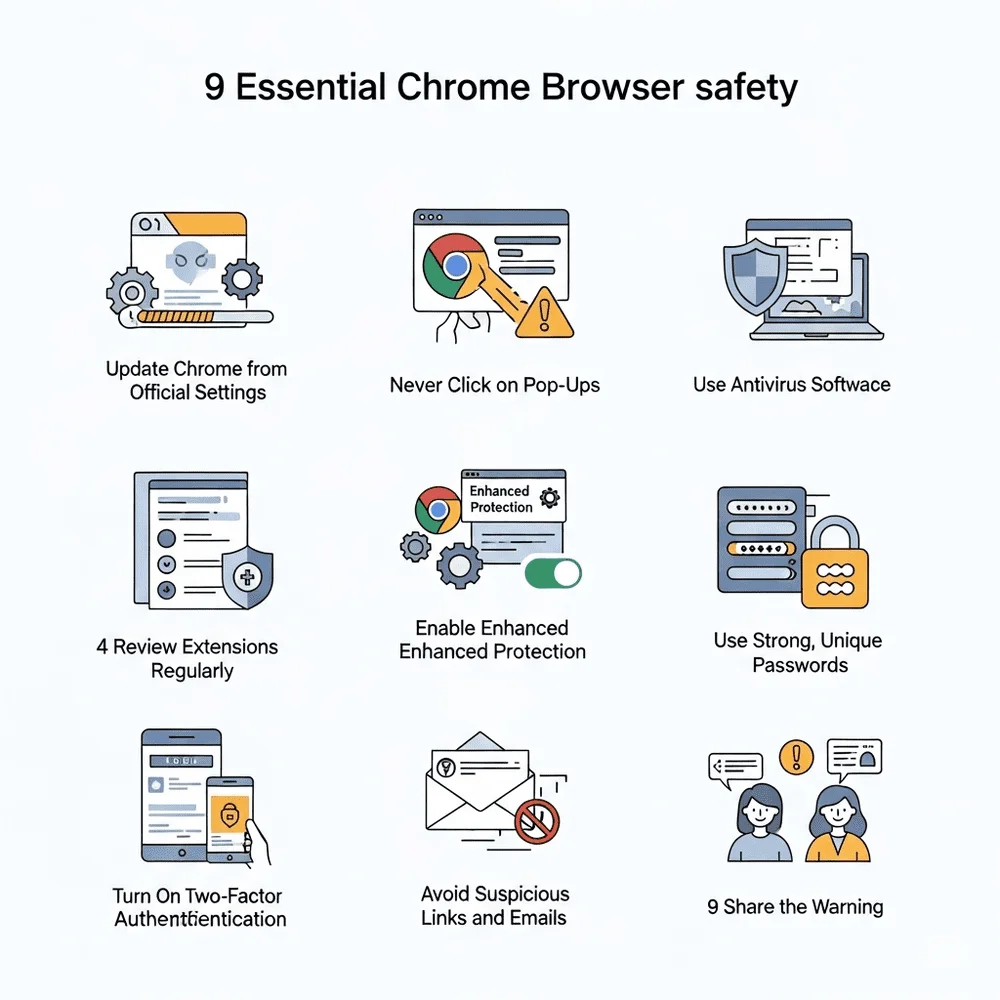
- 1. Update Chrome from Official Settings
- 2. Never Click on Pop-Ups from Random Sites
- 3. Use Antivirus and Anti-Malware Software
- 4. Review Chrome Extensions Regularly
- 5. Enable Enhanced Protection in Chrome
- 6. Use Strong, Unique Passwords
- 7. Turn On Two-Factor Authentication (2FA)
- 8. Be Cautious of Suspicious Websites and Emails
- 9. Share the Warning
- What To Do If You Think You’ve Been Attacked?
- Why This Matters So Much?
- Final Thoughts
FBI Warns Chrome Users about a critical security threat that could compromise millions of devices globally. This serious vulnerability allows hackers to steal personal data, login credentials, financial information, and even take full control of users’ systems. The warning isn’t limited to tech experts or large organizations; it targets everyday users who rely on Chrome for routine tasks like checking emails, online shopping, banking, studying, or working from home.
What Is the Threat About?
At the center of the issue is a zero-day vulnerability, a serious flaw in Chrome’s system that hackers discovered before Google did. Because there’s no fix available when it’s first discovered, hackers can immediately exploit it. That’s what makes it so dangerous.
Attackers are exploiting a flaw to silently install malware that can steal data and control your system without detection. They’re also using fake Chrome update pop-ups that mimic real messages to trick users into downloading this malware.
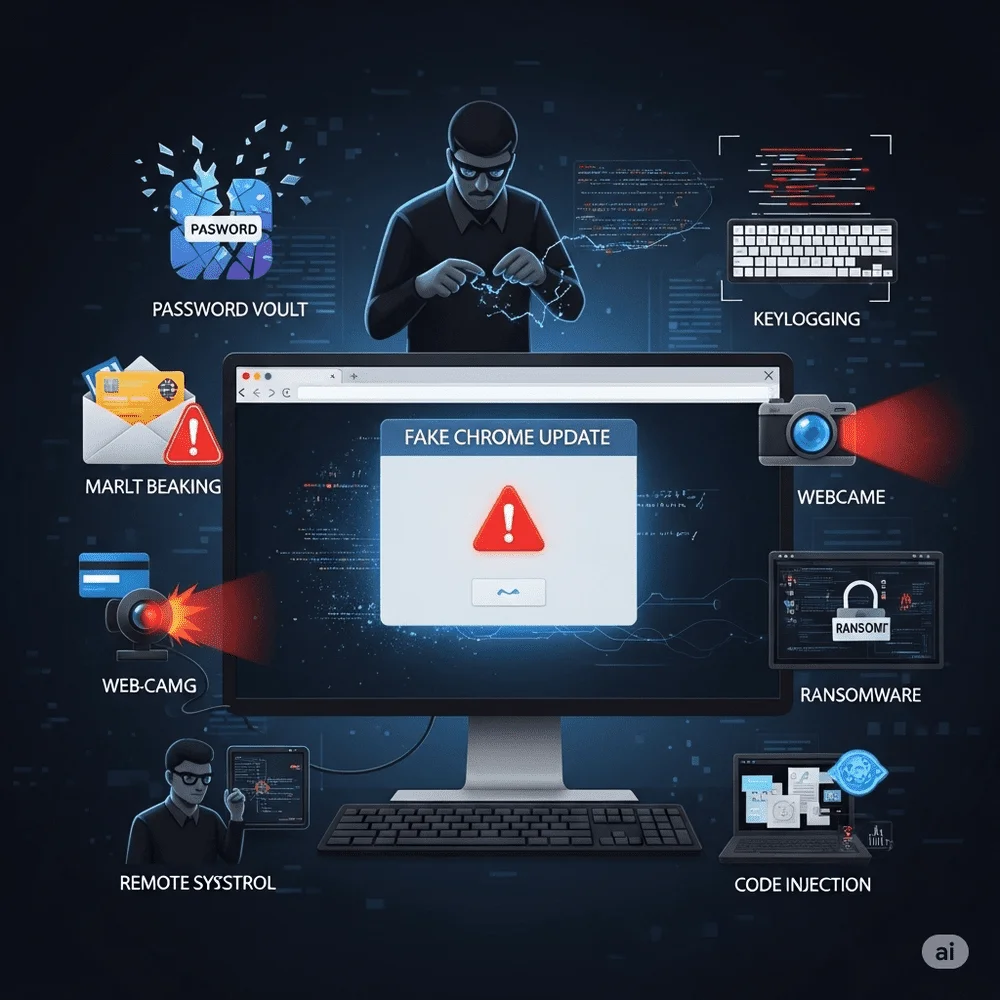
What Can the Malware Do?
After the malware successfully infiltrates your system, it can carry out a range of harmful actions.
- Steal saved passwords from Chrome
- Monitor what you type (keylogging)
- Take screenshots or access your webcam
- Gain access to emails, banking, and social media
- Control your device remotely
- Lock your files and demand money (ransomware)
- Install additional hidden malware
Who Is At Risk?
Everyone who uses Google Chrome on Windows, Mac, or Linux is potentially at risk. Whether you’re a student, a remote worker, a business owner, or someone who simply browses the web for news or shopping, this threat can affect you.
Considering Google Chrome serves over 3 billion users globally, the potential scale of this cyberattack is massive. What makes it scarier is how convincing the fake updates look; they use official Google branding, colors, and layout, fooling even tech-savvy users.
How Does the Attack Work?
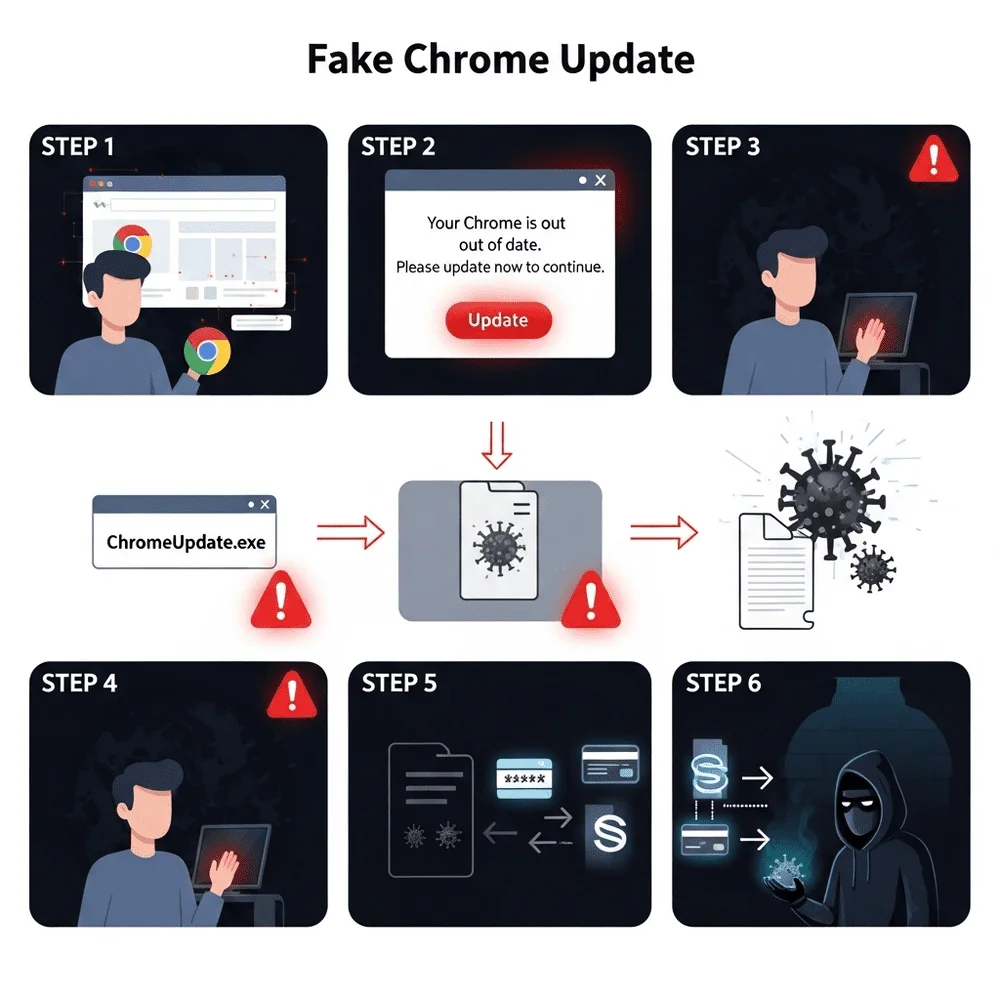
Most attacks start when a user unknowingly visits a compromised website. These sites might display a message like, “Your Chrome is out of date. Please update now to continue.” That message is fake.
Here’s how the scam typically unfolds:
- You land on a compromised site.
- A realistic-looking Chrome update pop-up appears.
- You click the “Update” button.
- A file is downloaded (usually .exe or .zip).
- Once opened, malware is installed without your knowledge.
- The malware hides and starts collecting sensitive data.
This method of attack has become popular because it doesn’t require much technical skill and works very effectively.
FBI’s Official Advice
The FBI warns that users should never trust update messages or pop-ups from random websites. Chrome updates are done automatically, and when needed, can be manually triggered through the browser settings, not from pop-ups.
They also caution against dangerous Chrome extensions, which may appear helpful but secretly collect your data. These extensions may ask for unusual permissions like access to your microphone, camera, or browsing history.
What Google Is Doing?
Google acted quickly after the FBI’s alert. Google responded by releasing security patches and began actively eliminating harmful extensions from the Chrome Web Store. They’ve also improved their detection systems to better identify phishing scams and fake update websites.
The company encourages all users to update Chrome immediately and check for suspicious activity. Google stated they are working closely with cybersecurity teams and government agencies to fight back against such advanced threats.
How to Stay Safe Online?
Fortunately, you don’t need advanced technical skills to safeguard your browser and personal information. Here are simple, effective steps to keep your browser and data safe:
1. Update Chrome from Official Settings
- Open Chrome
- Click the three dots (top-right corner)
- Go to Help > About Google Chrome
- Chrome will automatically check for and install updates
2. Never Click on Pop-Ups from Random Sites
- Chrome updates do not come through pop-ups
- If a website asks you to update Chrome, it’s most likely fake
- Always ignore and close such messages immediately
3. Use Antivirus and Anti-Malware Software
- Install trusted antivirus programs
- Keep them updated
- Run regular scans to catch infections early
4. Review Chrome Extensions Regularly
- Go to Settings > Extensions
- Remove anything you don’t recognize or need
- Be wary of extensions that ask for too many permissions
5. Enable Enhanced Protection in Chrome
- Navigate to your Chrome browser’s settings, then click on ‘Privacy and Security,’ followed by the ‘Security’ tab.
- Turn on Enhanced Protection for better threat detection
6. Use Strong, Unique Passwords
- Avoid using the same password for multiple sites
- Using a reliable password manager is a smart way to secure your online accounts and manage complex passwords.
7. Turn On Two-Factor Authentication (2FA)
- This adds an extra layer of security
- Even if your password gets compromised, two-factor authentication ensures that unauthorized access is still blocked.
8. Be Cautious of Suspicious Websites and Emails
- Don’t open links or download files from unknown sources
- Phishing emails often look urgent or official. Always double-check before clicking
9. Share the Warning
- Let friends, coworkers, and family know about this threat
- Educating others helps reduce the spread of the malware
What To Do If You Think You’ve Been Attacked?
If you suspect that you clicked on a fraudulent update or notice unusual activity on your device, respond without delay:
- Disconnect from the internet to prevent further damage
- Run a full antivirus/malware scan
- Change all important passwords (email, banking, social media)
- Enable two-factor authentication for critical accounts
- Make regular backups of your important files to prevent irreversible data loss in case of an attack.
- Contact a cybersecurity expert if you’re unsure about the next steps
Why This Matters So Much?
The internet is woven into every part of our lives, work, school, shopping, banking, and even entertainment. When your web browser isn’t secure, everything you do online becomes risky. This FBI warning is a reminder that we must all be vigilant. It’s not about panic, it’s about protection.
FBI Warns Chrome Users that cybercriminals don’t always rely on complex techniques—often, just a single careless click is enough to jeopardize your privacy, finances, and peace of mind. The good news is, by adopting a few smart online habits, you can stay one step ahead of these threats and keep your digital life secure.
Final Thoughts
FBI Warns Chrome Users not to blindly trust everything they see online, even if it appears legitimate. As Google continues working on security patches, the responsibility to stay safe largely falls on individual users. To protect yourself, always update Chrome using official browser settings, steer clear of suspicious pop-ups, install reliable antivirus software, and regularly review your browser extensions.
Stay informed. Stay alert. And never let your guard down when it comes to cybersecurity.