
Table of Contents
- Why build your formula sheet?
- How to gather your study material
- Decide sheet format: paper or digital?
- Organizing your sheet effectively
- Note definitions, units, and small examples
- Use memory aids to retain formulas
- Practice turning your sheet into flashcards
- Testing your sheet as a study tool
- How to refine and update your sheet
- Using digital tools for the sheet
- Study routine to maximize your sheet
- Tips to Personalize Your Formula Sheet
- Formula Categories to Include
- Common Mistakes Students Make (and How to Avoid Them)
- Using Your Sheet for Competitive Exams
- Tools to Design a Digital Sheet
- Bonus: Build a Mini-Glossary
- Formula Practice Questions (For Reinforcement)
- Final revision strategies with your sheet
- Conclusion
Creating your math formula sheet is one of the most powerful study tools. Instead of copying random formulas, you collect, condense, and organize the most important ones in a way you understand. Google’s latest algorithm favors content that truly helps users, rather than keyword stuffing or confusing layouts. This guide shows you simple steps to build your sheet, memorize formulas, and organize them for quick reference.
Why build your formula sheet?
When you gather formulas yourself, you strengthen your memory and understanding. Writing formulas by hand or typing them helps to consolidate what you have learned. You choose only what matters for your class or exam, which makes revision faster and more effective. Google values content that solves real user problems, which is exactly the goal here.
Benefits:
- Deep recall from active writing.
- Quicker access during review.
- Better organization of key concepts.
If you’re curious about the kind of mind-bending problems that push mathematics to its limits, check out our deep dive into the hardest math equation that stumps everyone, a fascinating look at the equations even experts struggle with.
How to gather your study material
Start by collecting your class notes, textbook chapters, past assignments, sample tests, and any study guides. Identify which formulas are likely to appear on your test or which ones are new and challenging. Think through your syllabus or topic outline list formulas under each chapter or lesson.
Ask your teacher what content will be tested, and mark those formulas as high priority. Gather understanding and context, not just symbols. It helps your sheet more.
Decide sheet format: paper or digital?
Some prefer a handwritten sheet on a single A4 page. Others use tools like Google Docs or spreadsheets for a neat layout. Whichever you choose, aim for concise, legible writing that you can read easily under review or in exam-like conditions.
Tips:
- Use one side or two sides of a single page.
- Write in small but legible script.
- Use boxes or sections for grouping concepts.
Organizing your sheet effectively
Organize by topics or chapters. Group formulas that naturally go together. Draw boxes around each group to visually separate them. Use headings like “Algebra,” “Geometry,” “Trigonometry,” or whatever aligns with your course order. Keep similar concepts together to help your brain file them logically.
Examples:
- Quadratic formula, discriminant, sum-product.
- Circle formulas: circumference, area, arc length.
- Trig identities: soh caht oa, angle sum/difference.
Give your sheet a meaningful title at the top (e.g., “Math 101 Formula Sheet – Midterm”) for clarity and motivation.
Note definitions, units, and small examples
Include short reminders about when and how to use each formula. For instance, include a note like: “Use quadratic formula when solving ax² + bx + c = 0”. This way, your sheet becomes not just a reference but a learning tool.
Add a tiny example or shorthand cue next to each formula to jog memory quickly, especially helpful in multitasking exam scenarios.
Use memory aids to retain formulas
Understanding each formula helps you remember more than just memorization. Once you know the logic or derivation behind it, your brain keeps the formula better.
Techniques:
- Visual imagery: imagine E=mc² as an elephant (E) balancing on a mountain (m) with two race cars (c²).
- Mnemonic sentences: for trig ratios, use “Some Officers Have Curly Auburn Hair Til Old Age”.
- Flashcards: write the name on one side, formula on the other. Practice recall. An app like Anki with spaced repetition helps a lot.
Active recall through writing and rewriting formulas builds muscle memory and mental association.
Practice turning your sheet into flashcards
Convert each formula box into a flashcard. On the front: the name (“Quadratic formula”). On the back: the formula and a quick usage note or example. Quiz yourself daily. Shuffle, mix, and test often; this strengthens retention and identifies gaps.
Testing your sheet as a study tool
Once your sheet is complete, use it to study. Pretend you are in exam mode: try to write formulas from memory first, then check against the sheet. Use multiple-choice or short-answer drills, answer first from memory, then consult your sheet for confirmation. Highlight areas where you hesitate or make mistakes. Revise those sections of your sheet or add small cues to help trigger memory.
How to refine and update your sheet
After each study session or practice test, refine
- Remove formulas you now know well.
- Add ones you forgot or struggled with.
- Reorganize groups if they make more sense in a new order.
Over time, your formula sheet shrinks or becomes more efficient, only holding what truly helps you.
Using digital tools for the sheet
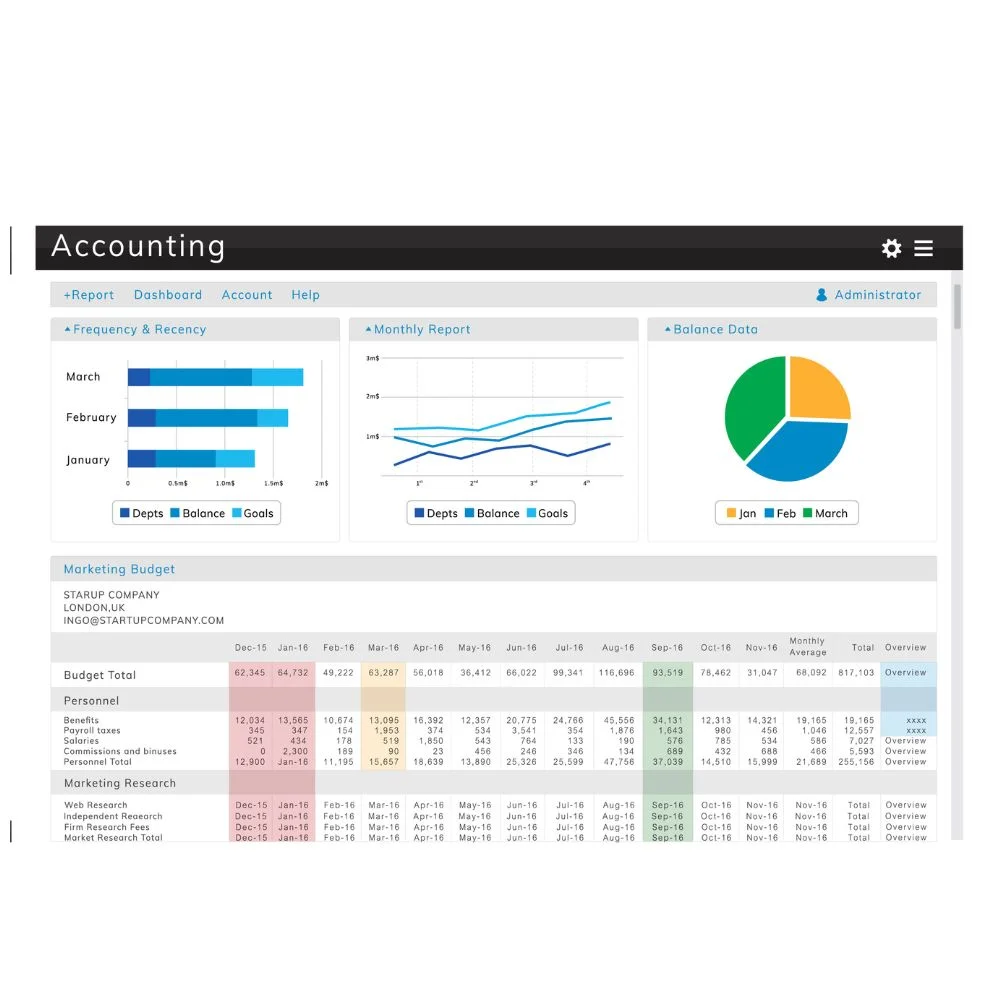
Google Docs, Sheets, and simple tables help create neat digital formula sheets. You can copy, edit, and print versions. Use fonts like monospace or math-friendly fonts. Consider color coding different sections (e.g., blue for geometry, red for algebra). You can also insert inline mini examples or definitions.
Study routine to maximize your sheet
- Daily review (5–10 min): glance over formula groups mentally.
- Flashcard drill (10–15 min): active recall for weak areas.
- Weekly practice test: write formulas from scratch, then check the sheet.
- Post-test review: annotate or highlight sheet sections to revise next.
This system helps you internalize formulas without relying completely on the sheet.
Tips to Personalize Your Formula Sheet
Personalization makes your sheet easier to understand because it’s made for your learning style, not someone else’s.
1. Use color to organize visually
- Red: for formulas you often forget.
- Green: for easy ones you’ve mastered.
- Blue: for theoretical formulas.
- Highlight tricky areas with yellow markers.
2 .Use shapes or icons
- Pencil icon for derivations.
- Warning sign for common mistakes.
- Arrows to link related formulas.
Formula Categories to Include
Structure your sheet with clear topics. Use bold headings or colored boxes.
1. Algebra
- Quadratic formula: x = [-b ± √(b² – 4ac)] / 2a.
- Factorization rules: a² – b² = (a + b)(a – b).
- Arithmetic & geometric sequences.
2 . Geometry
- Area and perimeter of shapes.
- Circle formulas: Area = πr², Circumference = 2πr.
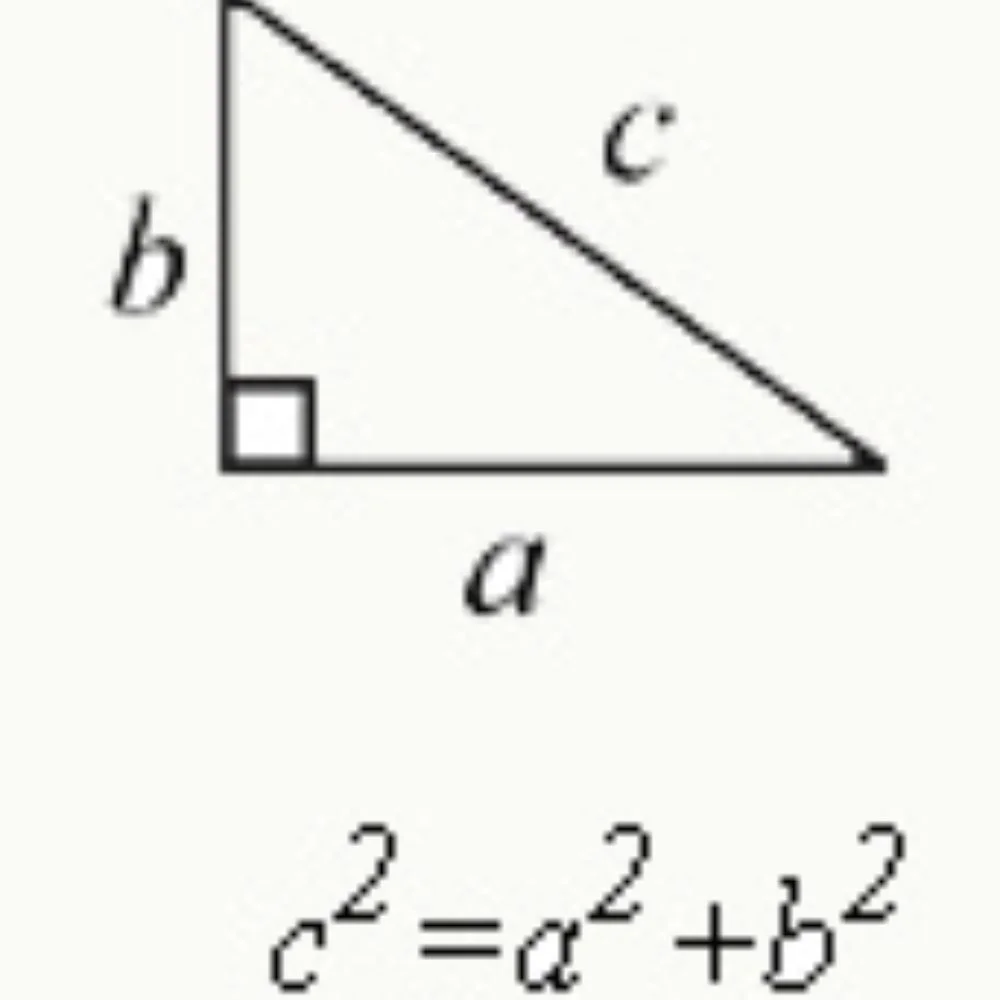
- Triangle rules: Pythagorean theorem, Heron’s formula.
3. Statistics & Probability
- Mean, median, mode.
- Probability rules: P(A or B) = P(A) + P(B) – P(A and B).
- Standard deviation formula.
4. Trigonometry
- Basic ratios: sin, cos, tan.
- Sine rule and cosine rule.
- Unit circle angles.
5. Calculus (if applicable)
- Derivatives: power rule, product rule, chain rule.
- Integrals: basic integration formulas.
- Limits and continuity basics.
Common Mistakes Students Make (and How to Avoid Them)
Help yourself by warning the future you! Add a section like this at the bottom of your sheet
- Forgetting constants: e.g., using A = πd²instead of A = πr².
- Wrong order of operations: not using PEMDAS correctly.
- Misusing signs: ± and √ signs are often misapplied.
- Confusing similar formulas, like the sine vs cosine rule.
Using Your Sheet for Competitive Exams
If you’re preparing for the SAT, GRE, GATE, or other tests, tailor your sheet accordingly.
1. GRE Math Focus:
- Coordinate geometry.
- Number properties.
- Exponents and roots.
- Probability and data interpretation.
2. SAT Math Focus:
- Linear equations.
- Ratios and percentages.
- Problem-solving and data analysis.
Use test-specific formula sheets as a starting point and customize yours as you practice.
Tools to Design a Digital Sheet
For a clean digital format, use the following tools:
- Google Sheets: Create grid-based layout, easy formula grouping.
- Canva: Design visually rich formula posters or cheat sheets.
- Notion: Add collapsible sections, embed flashcards.
- Microsoft OneNote: Draw, sketch, and use shapes and colors freely.
Bonus: Build a Mini-Glossary
Add a side column or mini-section for terms and symbols used in formulas.
| Symbol | Meaning |
| π | Pi (≈ 3.1416) |
| ∆ | Change/difference |
| Σ | Summation |
| √ | Square root |
| ∠ | Angle |
Formula Practice Questions (For Reinforcement)
After each topic, add 1–2 small questions using the formula.
1. Example:
Formula: Area of triangle = ½ × base × height
Question: Find the area of a triangle with a base of 8 cm and a height of 5 cm
Answer: ½ × 8 × 5 = 20 cm²
These examples keep your sheet interactive and boost memory.
Final revision strategies with your sheet
- On exam day morning, glance at your sheet and visualize where each formula sits.
- Partition formulas into mental zonesknow which box holds what.
- Re-create the sheet on blank paper from memory as a final brain warm-up.
Conclusion
A personalized math formula sheet is more than a cheat sheet; it is a learning tool built from your understanding. You collect, organize, and strengthen formulas. Enhance your memory through stories, visuals, and flashcards. You revise and refine until each section contains only your essential formulas. written and offers real study value.