
Table of Contents
The 8051 microcontroller is one of the most widely used microcontrollers in embedded systems, automation, and electronics projects. One of the most important concepts to understand when working with this microcontroller is its memory organization. Without understanding how memory is arranged and utilized in the 8051, it’s challenging to program or troubleshoot projects effectively.
In this simple guide, you’ll learn everything about the memory organization of 8051, explained in plain words. Whether you’re a student, beginner, or hobbyist, this article will help you understand how the 8051 microcontroller stores and accesses its data and programs.
Overview of 8051 Memory Organization
The 8051 uses a special structure called Harvard Architecture, where program memory and data memory are kept separate. This enables the microcontroller to operate efficiently, as it can fetch instructions and data simultaneously.
The 8051’s memory is divided into:
- Program Memory (ROM)
- Data Memory (RAM)
- Special Function Registers (SFRs)
- External Memory (Optional)
Each part has its purpose and a specific way to access it. Let’s break down each one to understand better.
Program Memory (ROM)
The Program Memory is where the 8051 stores the instructions that it needs to execute. Think of this as the microcontroller’s brain, where your program or code lives.
- The original 8051 microcontroller has 4 KB of on-chip ROM.
- You can also connect up to 64 KB of external ROM for bigger programs.
The microcontroller uses a pin called EA (External Access Pin) to decide where to fetch instructions from:
- If EA = 1 (HIGH) → It uses internal ROM for the first 4 KB, then external ROM if required.
- If EA = 0 (LOW) → It uses only external ROM for the entire program.
Program memory is usually read-only, which means the data stored here doesn’t change during operation. It holds the permanent instructions for the microcontroller.
Data Memory (RAM)
The Data Memory is used to store temporary data, variables, and results during program execution. This is like a workspace where your program keeps important information while running.
Internal RAM Structure:
The 8051 has 256 bytes of internal RAM, divided as:
Address Range Size Purpose
| Address Range | Size | Purpose |
|---|---|---|
| 00H – 7FH | 128 bytes | General-purpose, bit memory, and registers |
| 80H – FFH | 128 bytes | Special Function Registers (SFRs) |
Let’s look at these sections in more detail:
Lower 128 Bytes (00H to 7FH)
This area is divided into:
Register Banks (00H – 1FH)
- Total 32 bytes.
- Divided into 4 banks, each with 8 registers (R0 to R7).
- The active register bank is selected using bits in the Program Status Word (PSW).
These registers are useful for storing small, frequently accessed data.
Bit-Addressable Area (20H – 2FH)
- Contains 16 bytes or 128 bits.
- Individual bits can be accessed directly.
- Useful for flags, control bits, and small on/off type data.
General-Purpose RAM (30H – 7FH)
- Contains 80 bytes for temporary data, variables, and the stack.
- A flexible area to use during programming.
Upper 128 Bytes (80H to FFH)
This area is reserved for Special Function Registers (SFRs), which control the microcontroller’s features like:
- I/O Ports (P0 – P3)
- Timers (TCON, TMOD, etc.)
- Serial Communication (SBUF, SCON)
- Interrupt Control
- Accumulator (A) and B Register
- Program Status Word (PSW)
These registers can be accessed directly by their specific addresses. Some of these SFRs are also bit-addressable, providing more control over individual bits.
External Data Memory (Optional)
The 8051 supports up to 64 KB of external RAM, which is useful when the internal 256 bytes of RAM are not enough for your application.
- External RAM is connected using Ports P0 and P2.
- You can use special instructions to access this memory area, typically with the help of qualifiers like xdata in embedded C programming.
External RAM is perfect for storing large buffers, tables, or when you need more space for your program to work with data.
Special Function Registers (SFRs)
As mentioned earlier, SFRs are special control registers located in the address range 80H to FFH. They provide direct access to essential microcontroller functions.
Here are some commonly used SFRs:
| Register | Function |
|---|---|
| P0 – P3 | Port Control Registers |
| PSW | Program Status Word (flags, register bank selection) |
| ACC (A) | Accumulator for arithmetic/logic operations |
| B | Secondary register for multiplication/division |
| SP | Stack Pointer |
| DPL, DPH | Data Pointer (DPTR) for external memory addressing |
| TMOD, TCON | Timer control registers |
| SCON, SBUF | Serial Communication Control |
SFRs are crucial for configuring and controlling microcontroller operations like I/O, interrupts, timers, and communication.
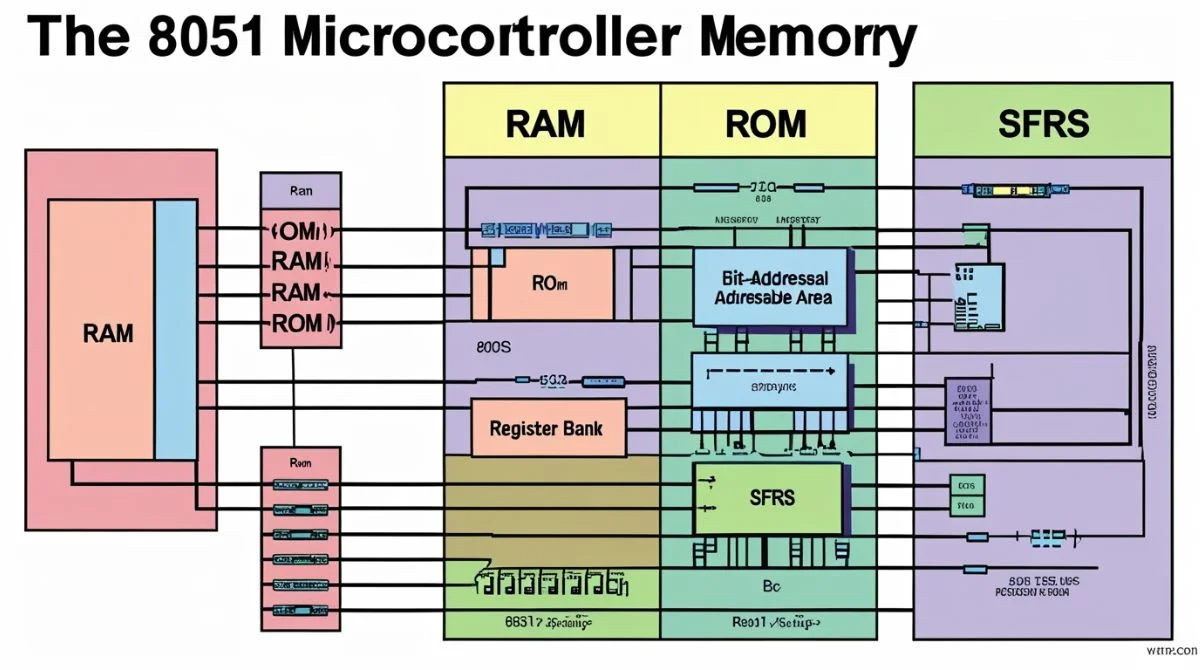
Memory Organization Diagram
Here’s a simple view of how memory is arranged inside the 8051:
| 0000H - 0FFFH | Internal ROM (4 KB) |
| 0000H - FFFFH | External Program Memory (up to 64 KB) |
| 0000H - 007FH | Lower RAM (General, Bit area, Registers) |
| 0080H - 00FFH | Upper RAM (SFR area) |
| External RAM | Optional, up to 64 KB |

Note: In some enhanced versions of the 8051 (like 8052), extra internal RAM is added, accessible via indirect addressing only.
Why Memory Organization Matters?
Understanding memory organization helps you:
- Write efficient and reliable programs.
- Avoid memory overlaps or data corruption.
- Utilize bit-addressable memory for efficient control.
- Properly set up the stack and interrupt routines.
- Expand memory for larger projects when needed.
Practical Tips for Programmers
Here are simple tips for working with 8051 memory:
- Place frequently used variables in internal RAM for faster access.
- Use bit-addressable memory for flags and status indicators.
- Manage the stack carefully to avoid overflow.
- Use external RAM for large data sets or buffers.
- Always check the EA pin setting based on your memory requirements.
By following these tips, you can get the most out of your 8051 microcontroller.
Conclusion
The memory organization of the 8051 microcontroller is simple once you break it down. It offers a flexible combination of internal RAM, ROM, and optional external memory to meet various project needs. By understanding how the memory is structured and accessed, you can write better, optimized programs, troubleshoot issues quickly, and make your embedded applications more reliable.